
Blog · 9 November 2026
Dram Notes is ready for Google Play. It needs twelve of you first.
I built an Android app for the whisky I taste: scan the tasting list or the label, rate it, write what I thought, and keep it all on the phone with no account and no cloud. It's finished. Google asks every new developer to run a closed test with at least twelve people for fourteen days before an app can go on sale, so this is me asking.
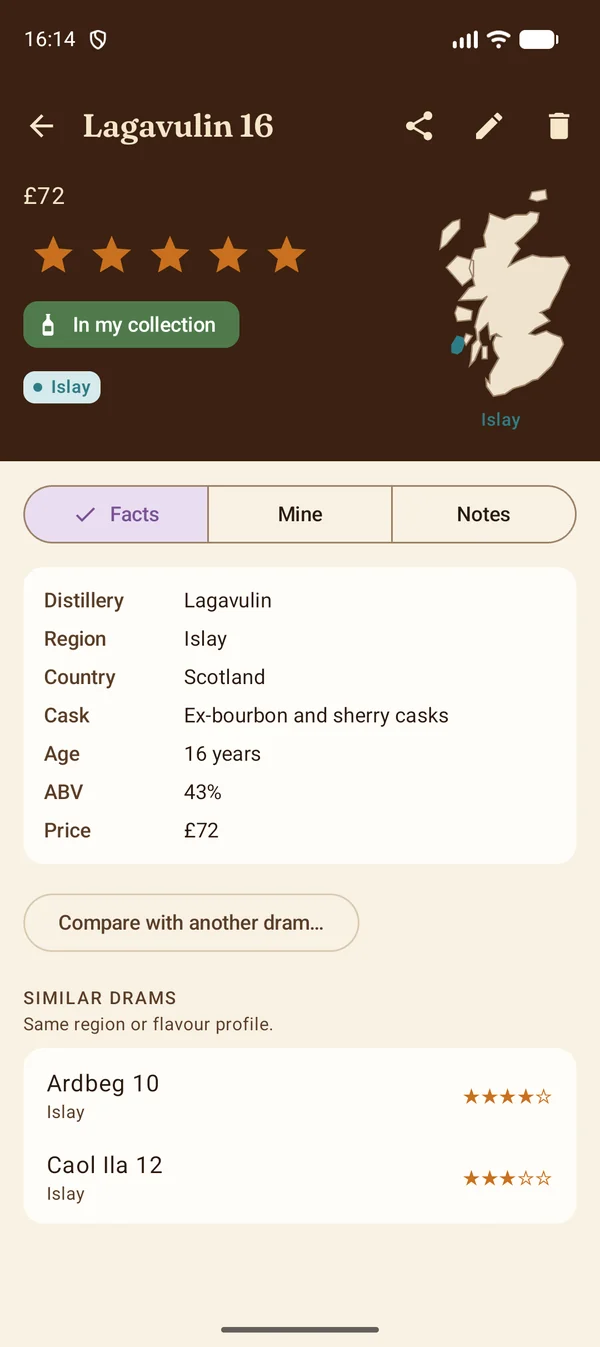
Why another whisky app
Most drinks apps are a social network with a database behind it. You make an account, you find the bottle in their catalogue, you post a score, and your notes live on their server. I wanted the opposite: a notebook. Something that reads what's in front of me, keeps what I write, and never phones home.
So Dram Notes has no sign-up, no adverts and no tracking. Text recognition runs on the phone. Backups are files you keep wherever you like, Google Drive included. The only time it touches the network is when you paste a shop page and ask it to read it, or when Google Play confirms a purchase. The privacy policy is short because there isn't much to say.
Four ways in
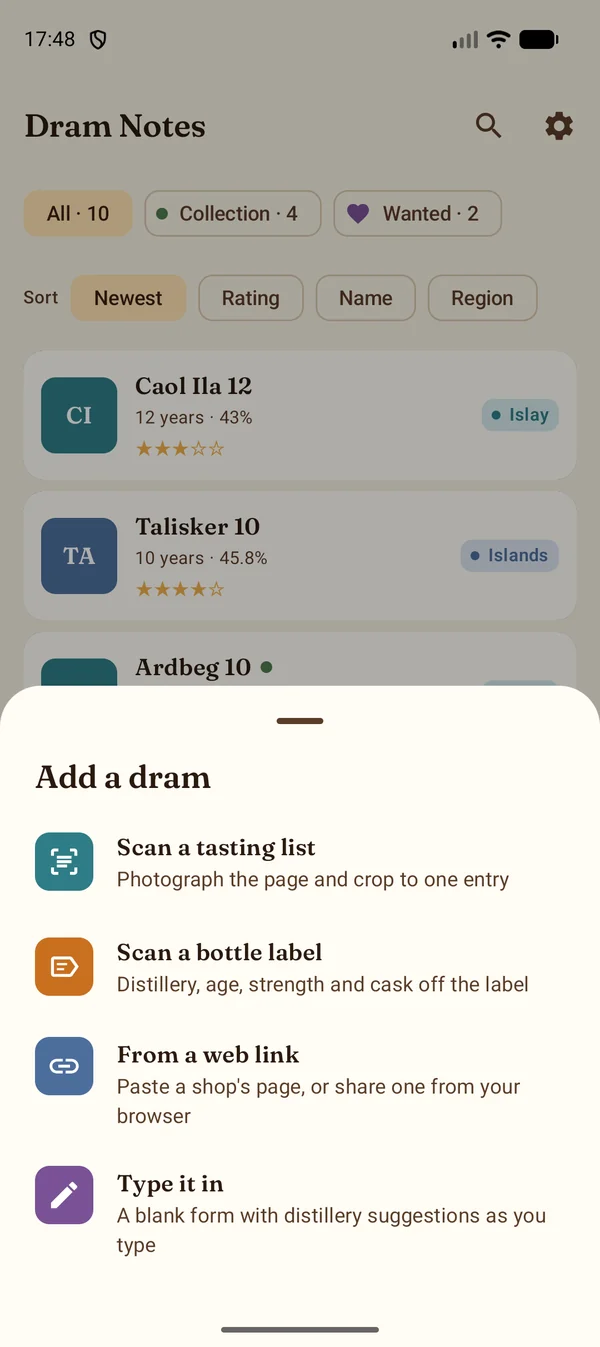
Tap the big button in the middle of the bar and you get four choices.
- Scan a tasting list. Photograph the page, crop to one entry, and the name, cask, region, age, strength and the tasting description are read into fields you can fix before saving.
- Scan a bottle label. Point the camera at the label and the distillery, bottler, age statement, strength and cask type come off it. The distillery is matched against every Scottish malt distillery and a good number from the rest of the world.
- Paste a shop page, or share it from your browser, and the details, price and bottle photo come with it. The link stays on the dram.
- Type it in. A blank form with distillery suggestions as you type. The region and country fill themselves in.
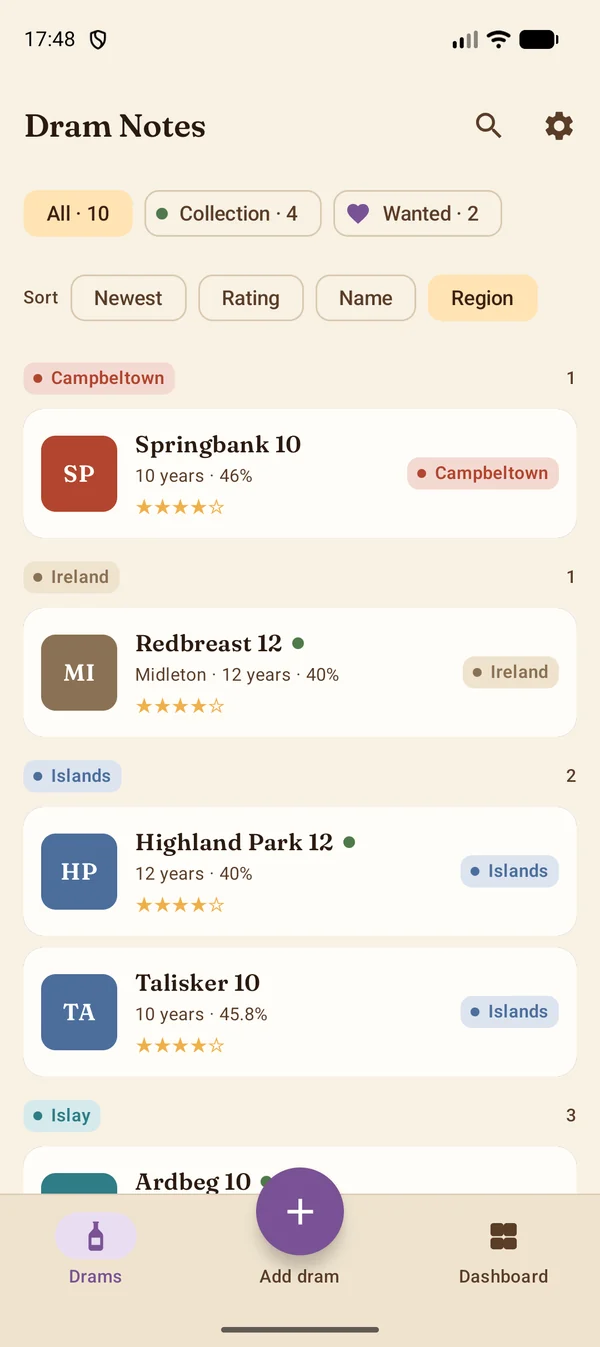
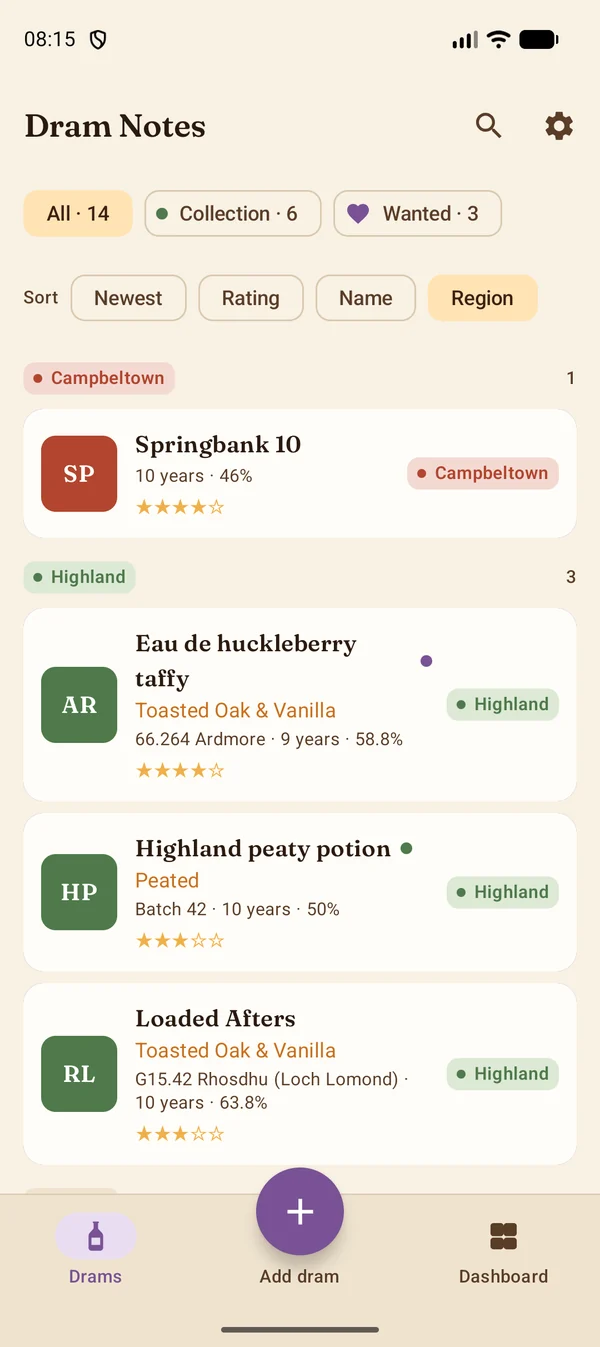
If your shelf says 35.413 rather than Glen Moray
This is the part I'm proudest of. Scan an entry from a Scotch Malt Whisky Society outturn list and the cask number, flavour profile, cask, age, date, outturn, strength and dram letter are read exactly as printed. Then the app does the thing members do in their heads: it reads the code. 35 is Glen Moray, 66 is Ardmore, G15 is Rhosdhu. Every malt and grain code is in there, along with the bourbon, rye, rum, cognac, Armagnac and gin codes, so the distillery, region and country fill in on their own and the map lights up in the right place. Batch releases keep their batch number, and the Society's shop pages read too.
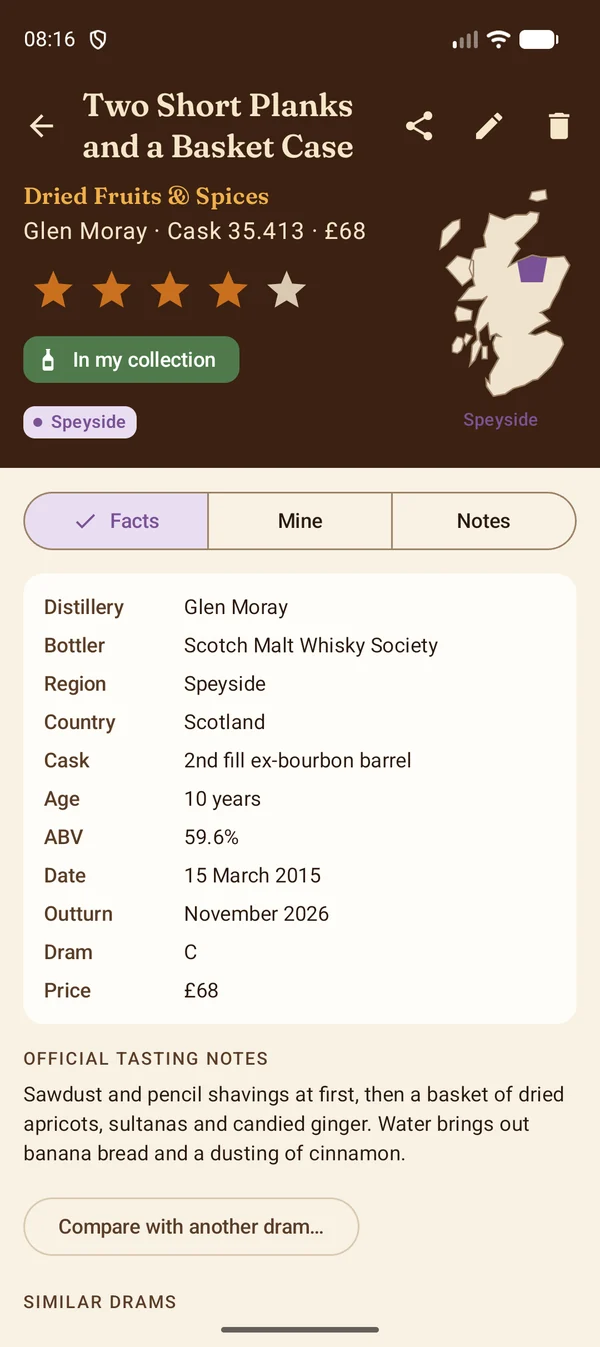
Dram Notes is an independent app and is not affiliated with, or endorsed by, the Scotch Malt Whisky Society.
Then make it yours
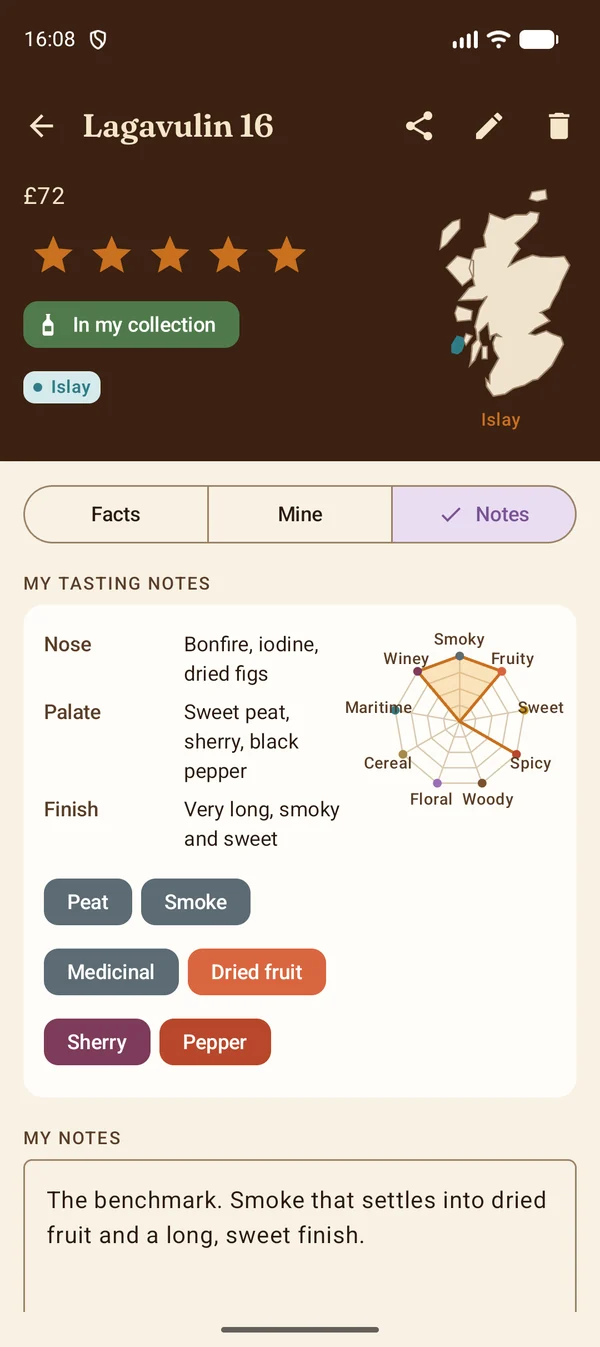
A dram is more than its label. Five stars and a notes box on every one. Say where you had it, and the dashboard groups by place. Mark the bottles you own and your shelf gets its own filter and its own section. Swipe a card to mark a bottle bought or wanted, with Undo if your thumb slipped. Long-press to pick several and put them in a tasting session.
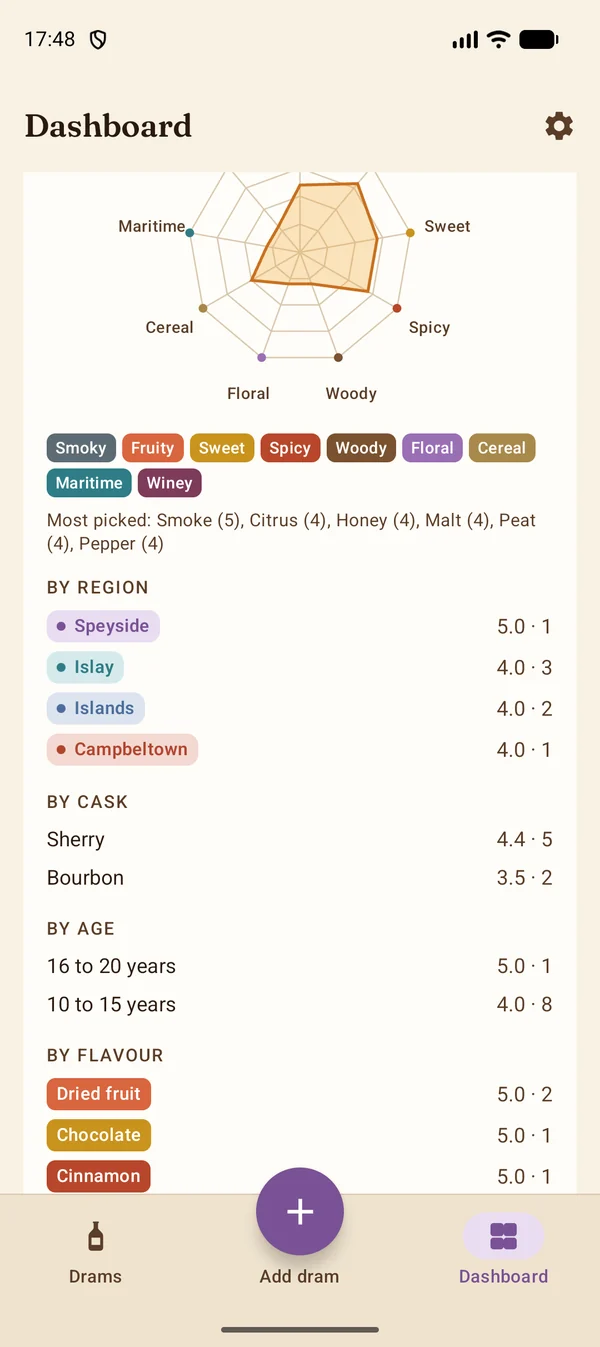
The dashboard opens on four figures, each with the chart it came from, and lights the regions you've tasted on a map of Scotland. Everything from outside Scotland gets a small globe with its country marked.
Pro, once
The app is free. Dram Notes Pro is a single purchase through Google Play, not a subscription, and it unlocks flavour wheel notes with a radar for each dram and your whole collection, tasting sessions ranked best first, a wishlist with the prices you saw, comparing two drams side by side, a photo wall, what your collection cost and how full each bottle is, your taste by region, cask, age and flavour, and export to a spreadsheet. Everything still stays on your phone.
Beta testers get all of it free for the beta. Say you'd like it and your account is set up so the purchase costs nothing.
The beta, and how to join
Google's rule for a new developer account is a closed test with at least twelve testers opted in for fourteen continuous days. Until that's done the app can't be published, however finished it is. So I need twelve people with an Android phone who taste whisky now and again and will keep the app installed for a fortnight. You don't need to use it every day.
- Email dram@wildsitecreations.co.uk with the subject Dram Notes beta and the Google account your phone uses for the Play Store. It has to match exactly, or Google won't let you in.
- Wait for the reply, usually within a day or two. It comes with the opt-in link.
- Open the link on your phone, accept, and install Dram Notes from Google Play. Updates arrive the normal way from then on.
Your address is used only to add you to the tester list and to reply. It is never shared, and the list is deleted once the app is in general release.
If you're a Society member, you're the tester I want most. Scanning an outturn entry is the app's hardest trick, and every page I haven't seen makes it better. When something lands in the wrong field, "Report a problem" in Settings starts the email with the version filled in.
Owain, WildSite Creations