

A WildSite Creations app
Dram Notes
Scan, rate and remember every whisky dram. Your notes stay on your phone.
Beta testers wanted
Help get it on to Google Play
Google asks every new developer to run a closed test before an app can go on sale: twelve people using it for fourteen days in a row. Dram Notes is ready; it just needs the testers. Join, and every Pro feature is yours free for the beta.
- Email dram@wildsitecreations.co.uk with the Google account your phone uses for the Play Store.
- Get the invitation by reply, usually within a day or two.
- Install from Google Play and keep it for two weeks. Taste something. Tell us what you'd change.
Why Dram Notes
Your whisky notebook, not a social network
Most drinks apps are built around an account, a shared database and a public feed. Dram Notes is built around your own notes, kept on your own phone.
- Nothing to sign up for. No account, no adverts and no tracking. Your drams, photos and notes stay on your phone, and backups are files you keep wherever you choose.
- It reads what's in front of you. Photograph a tasting list or a bottle label, or paste a shop page, and the name, cask, age and strength are filled in. The bottle doesn't need to be in anyone's database.
- Made for the way whisky is tasted. Note where you had each dram, rate it and keep what you thought of it. Pro keeps the drams you had at the same time together as one tasting session, ranked best first.
- Your shelf as well as your glass. Mark the bottles you own and see where each one comes from, on a map of Scotland or a globe. Pro adds what the collection is worth, how full each bottle is and a wishlist.
A look inside
Screens from the app as it is today.
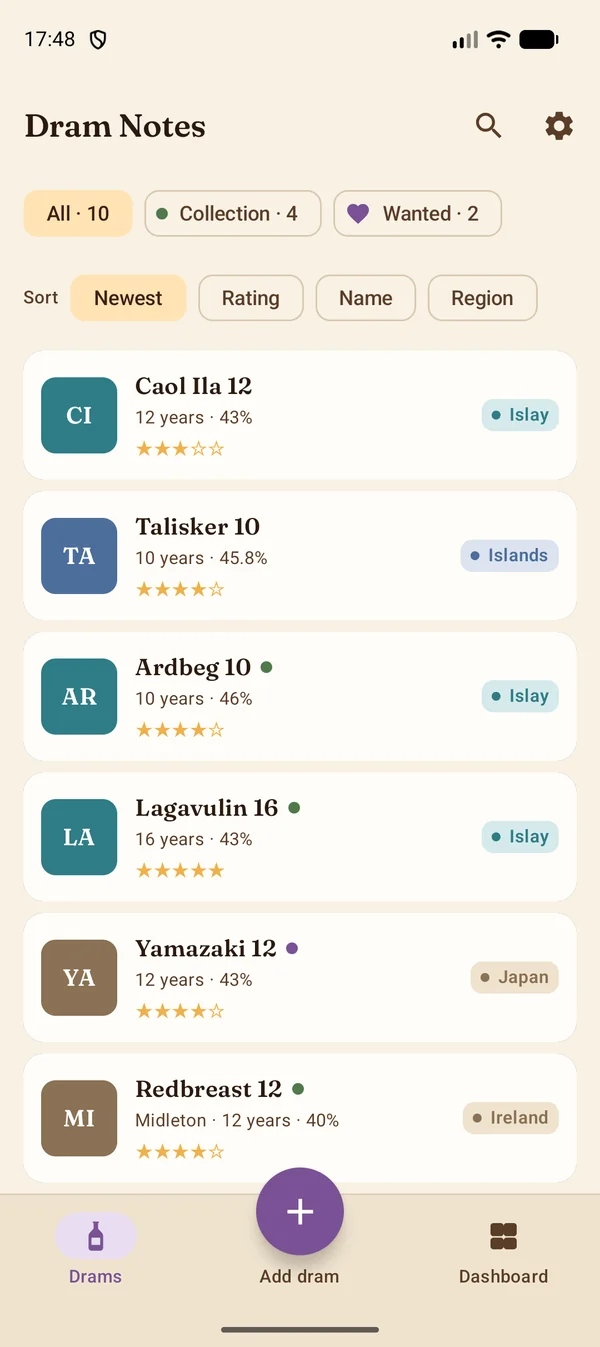
Every dram at a glance: its photo or monogram, its rating, its region in colour. Add dram sits in the middle of the bar. 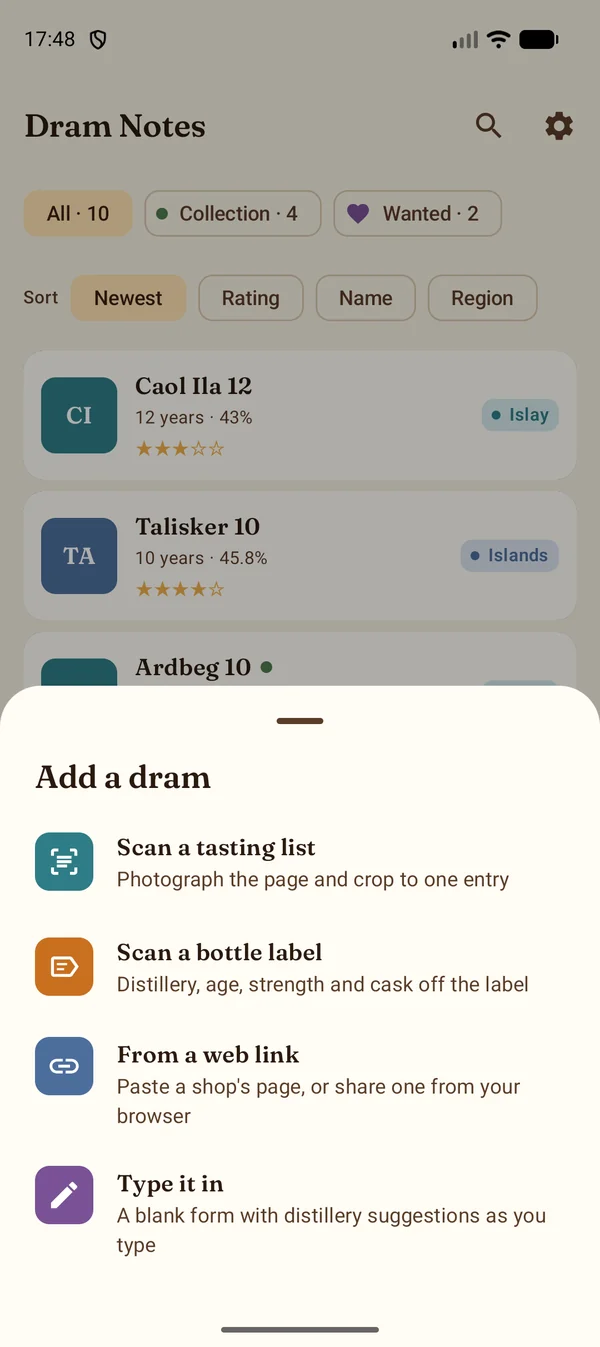
One Add button, four ways in. 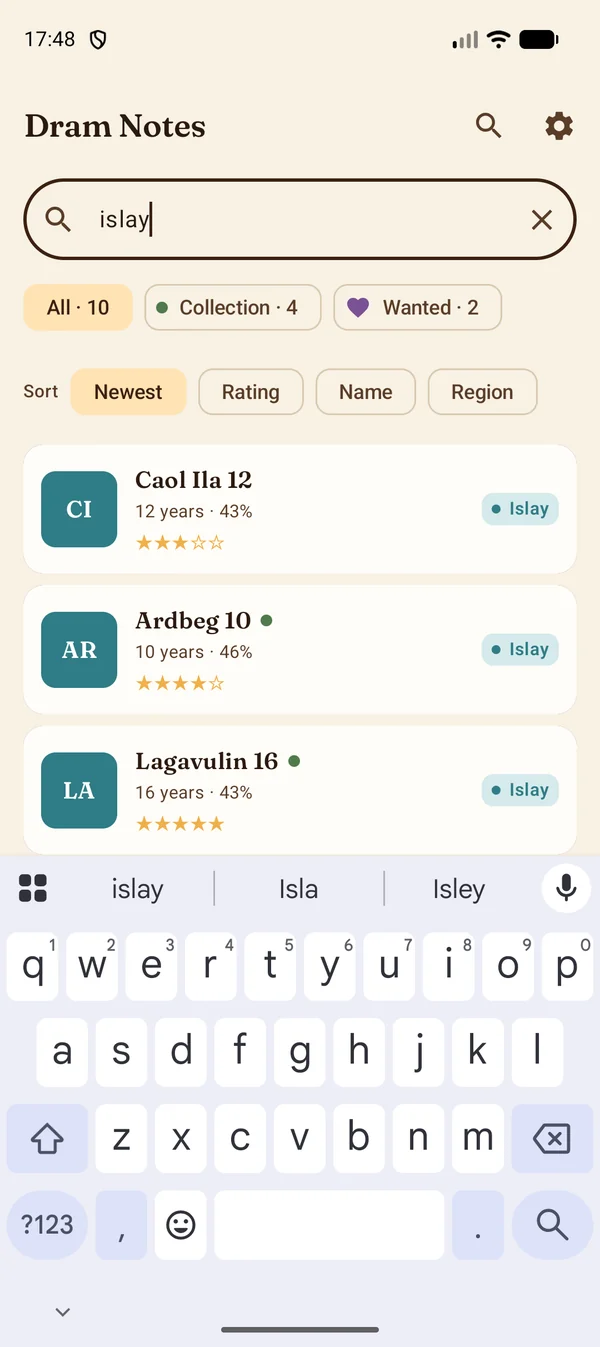
Search by name, distillery, place or flavour. 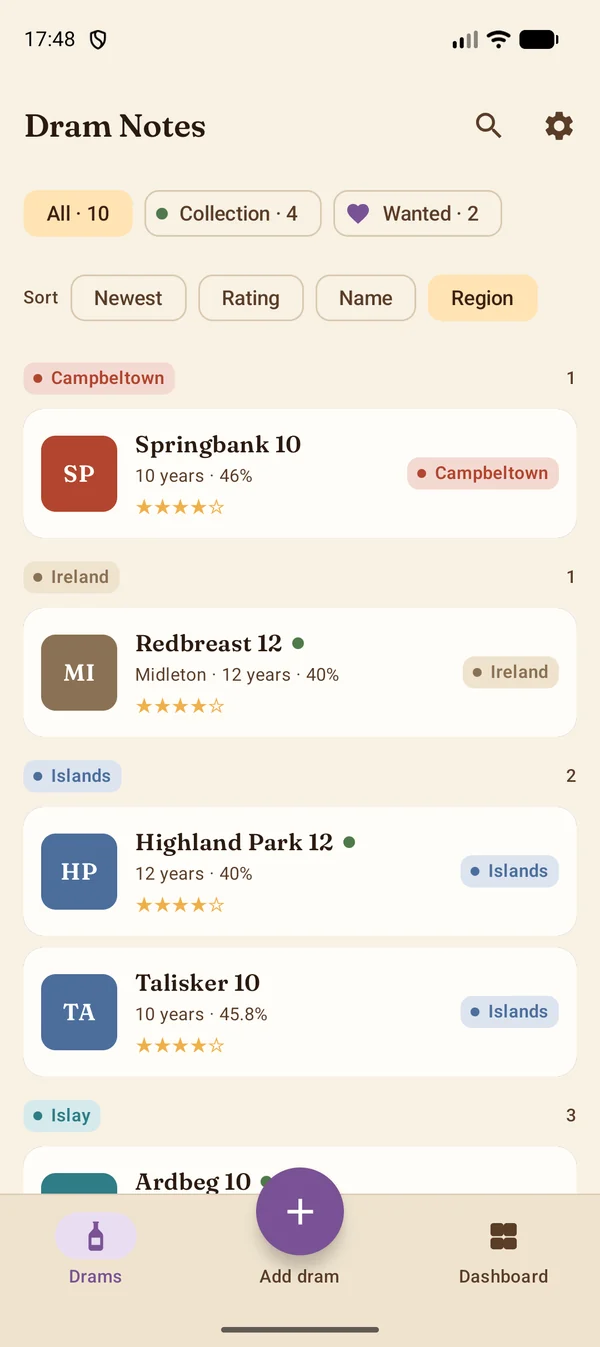
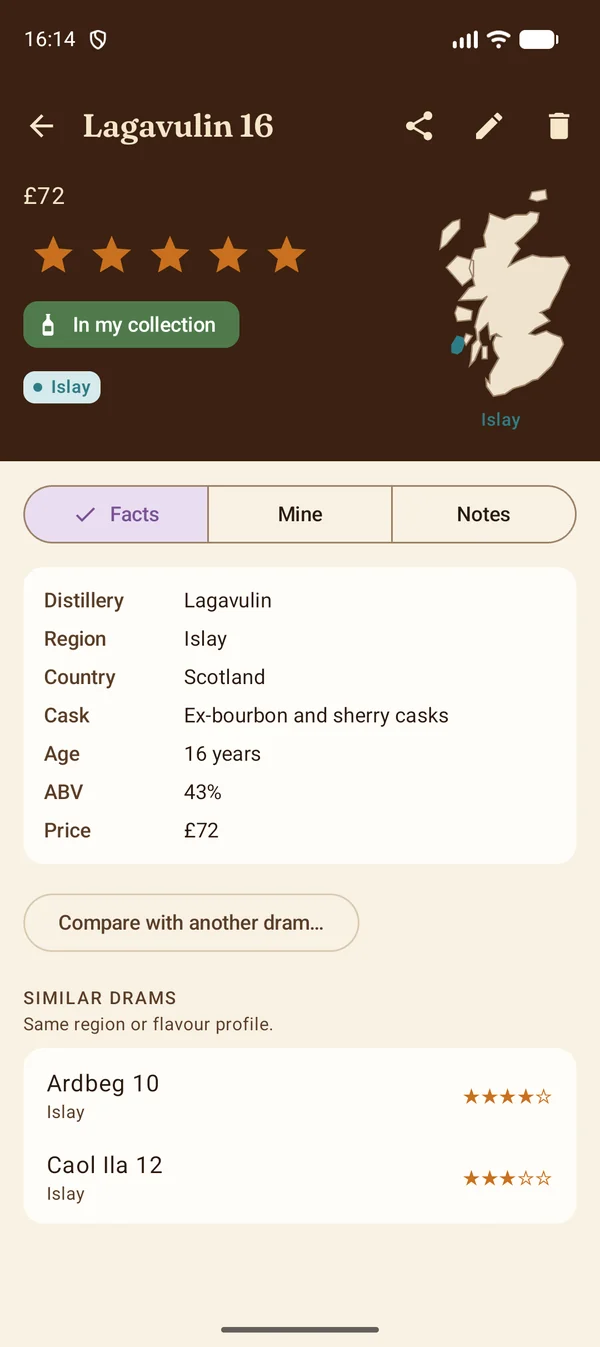
Sort by region and the list falls into sections. A dram in three groups: Facts, Mine and Notes. 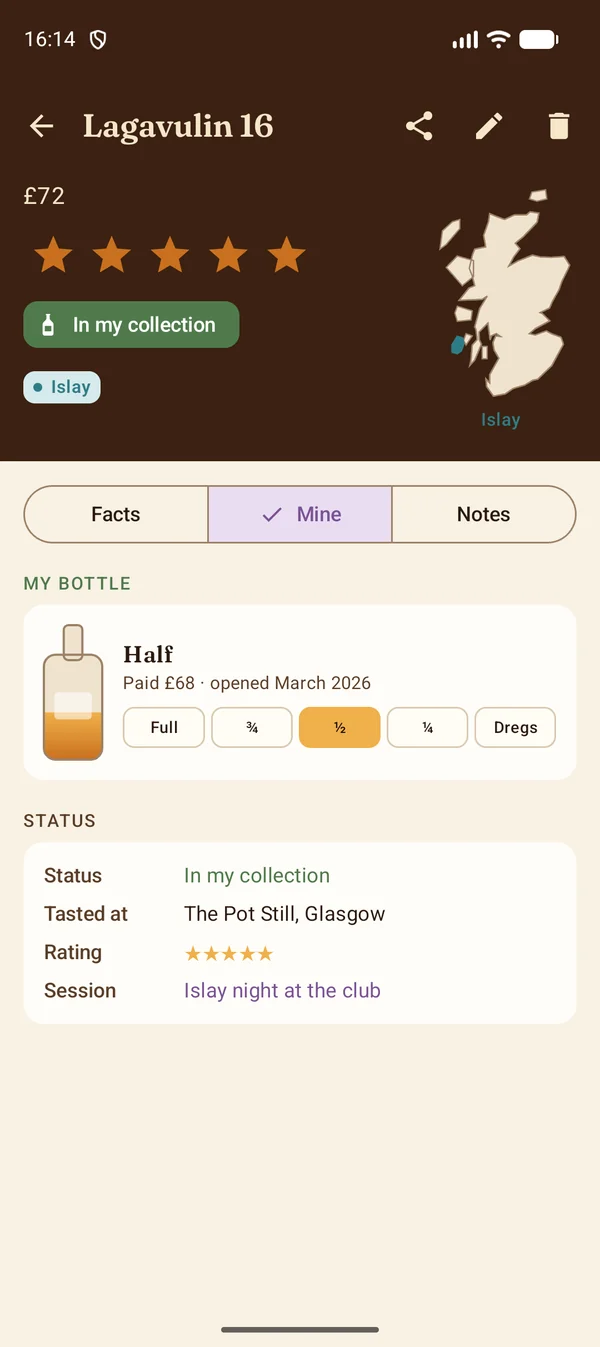
Your bottle, drawn at its level. Drag it, or tap a level. 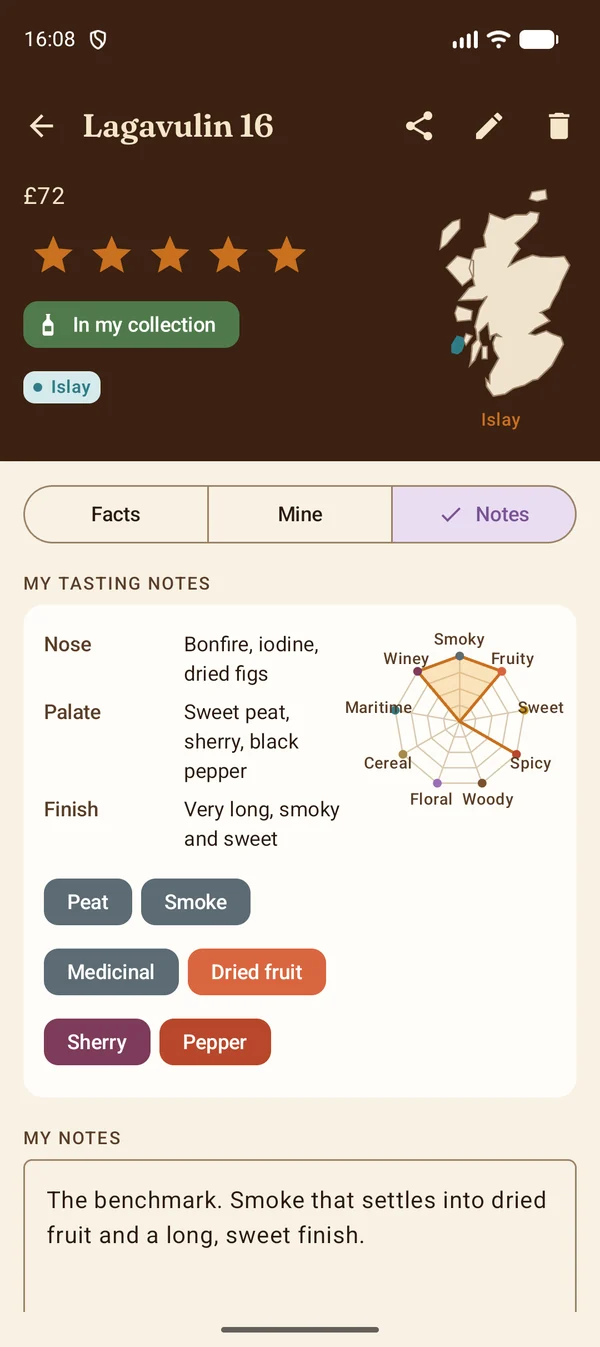
Tasting notes, flavour chips in their colours, and the radar. 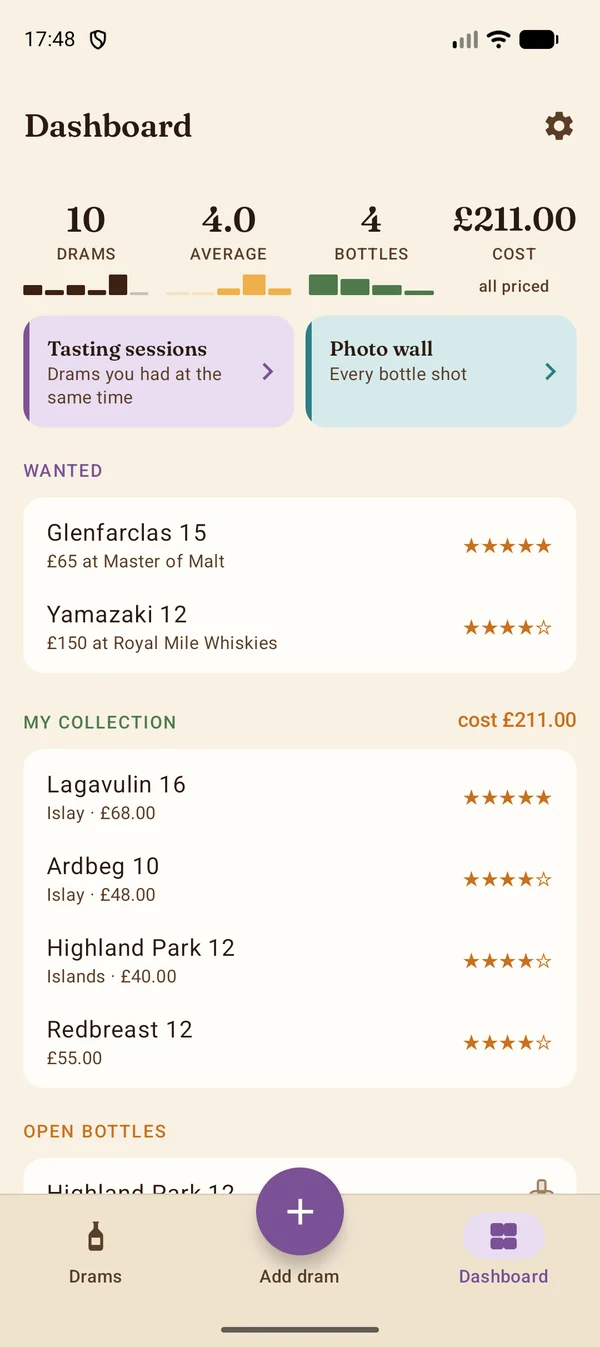
The dashboard opens on four figures, each with the chart it came from; Cost is Pro. 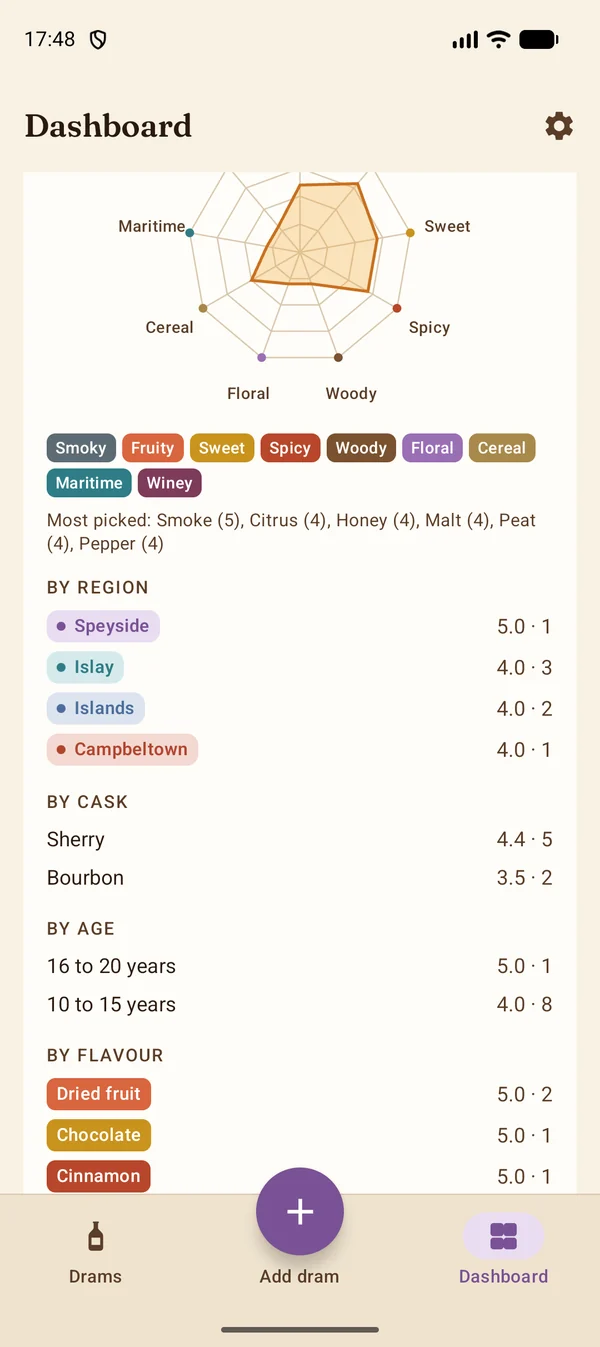
Your taste: the whole collection on one radar. 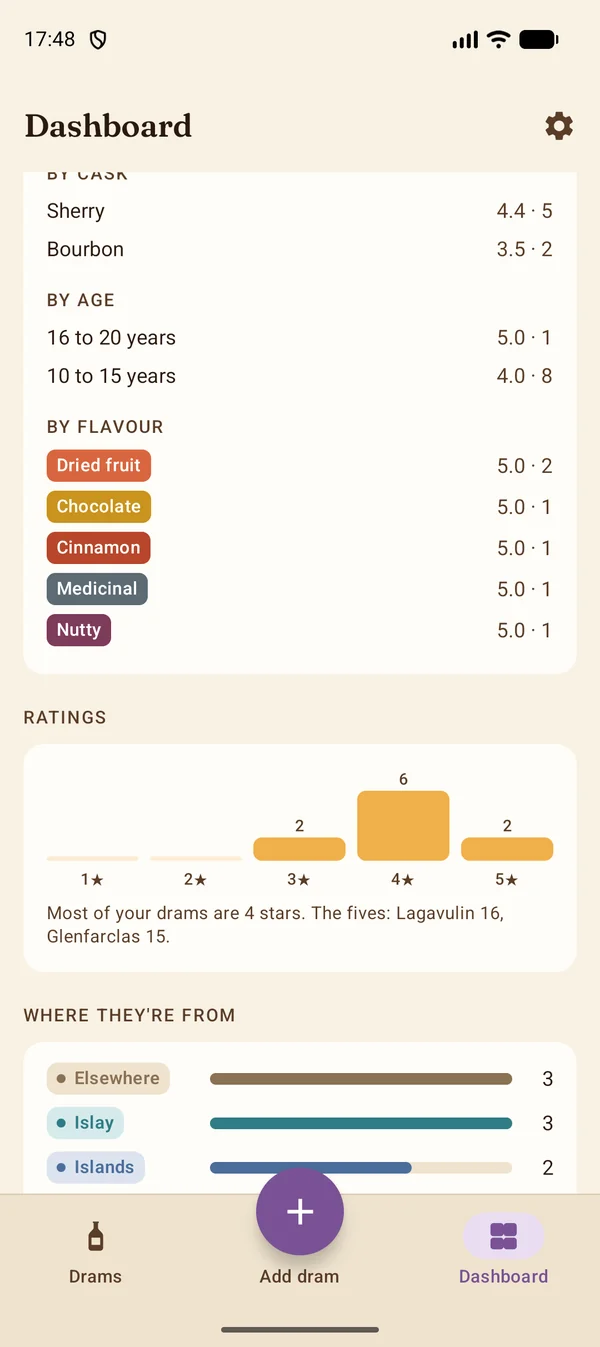
Ratings as a histogram, and where they're from as bars. 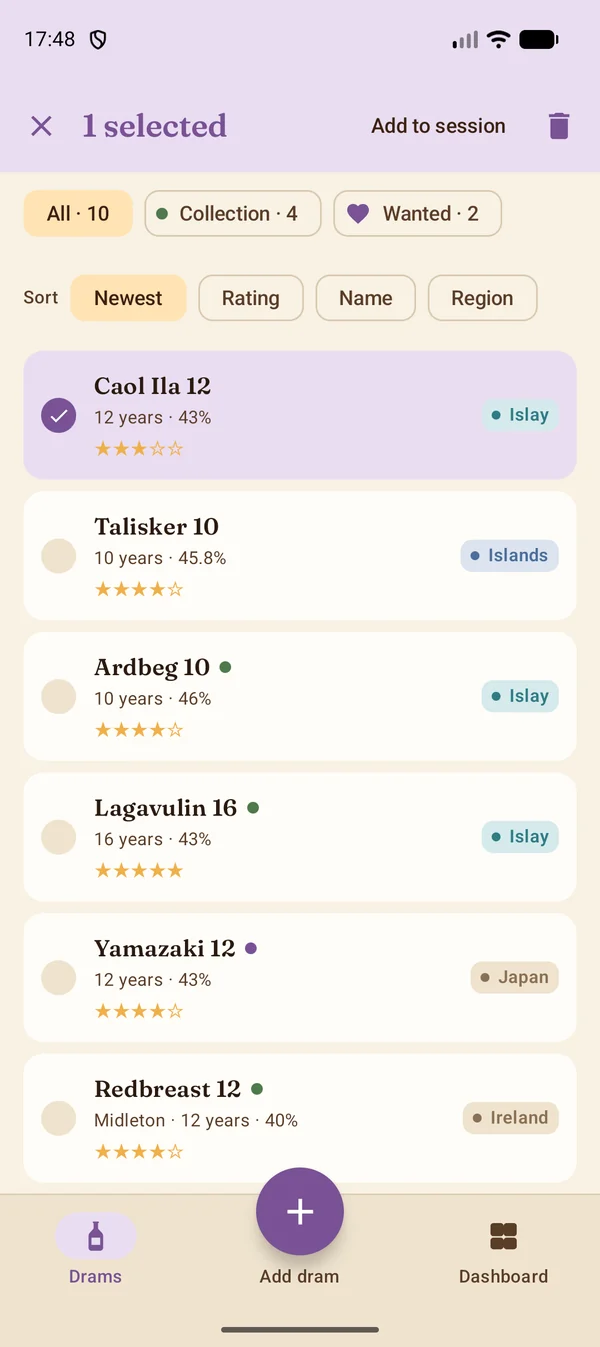
Long-press to choose several and add them to a session. 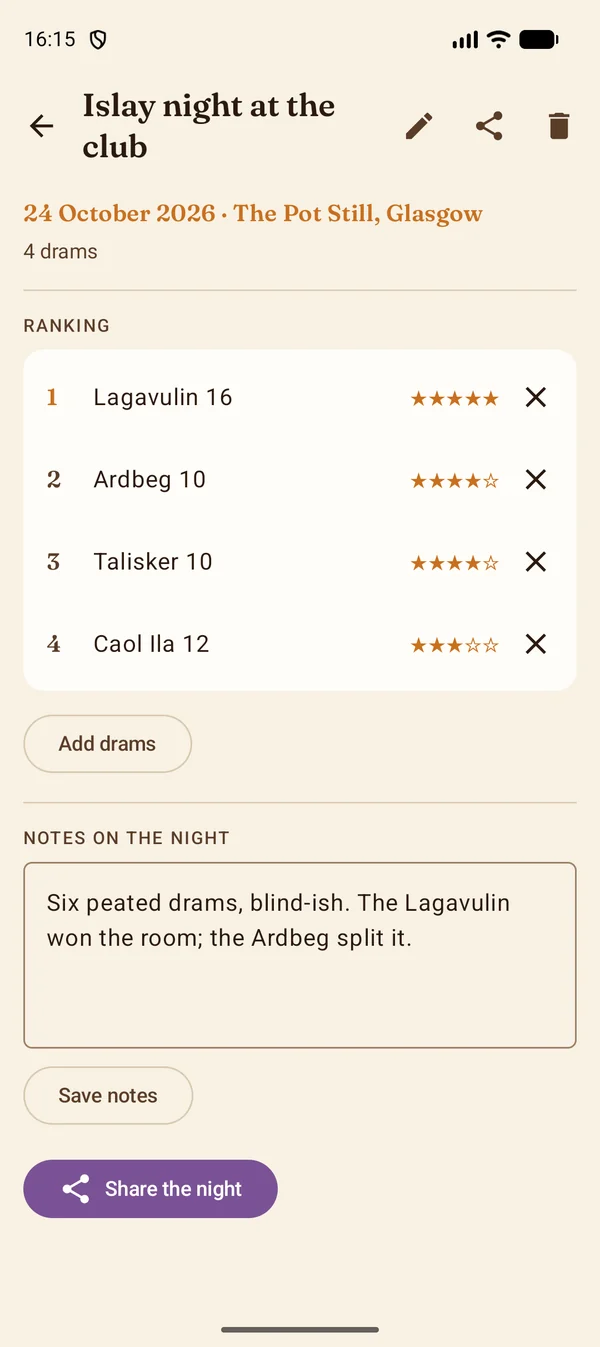
A tasting session, ranked best first, with notes on the night. 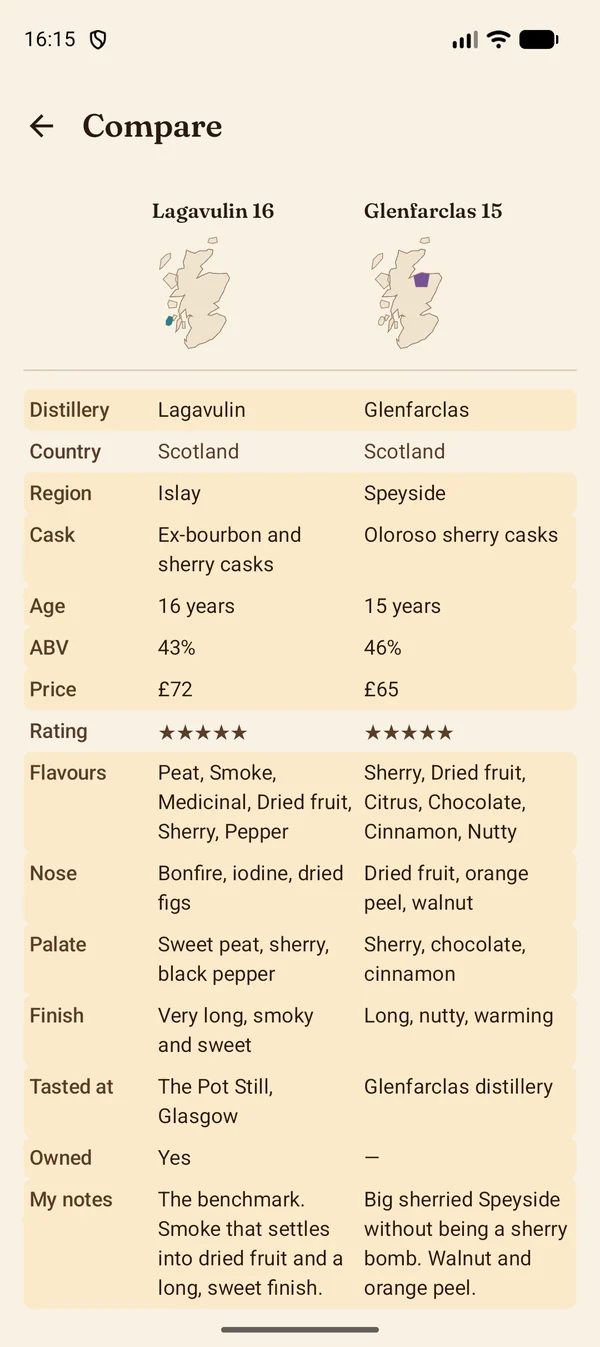
Two drams side by side; the rows that differ are tinted. 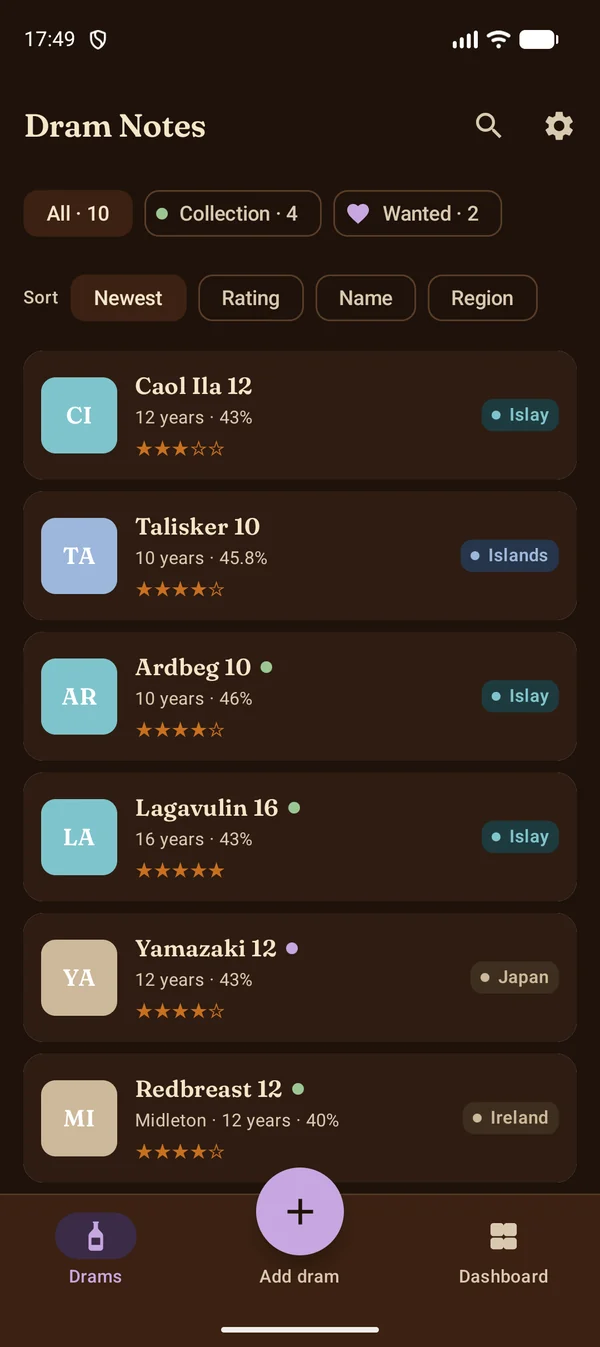
The dark theme follows your phone's setting. 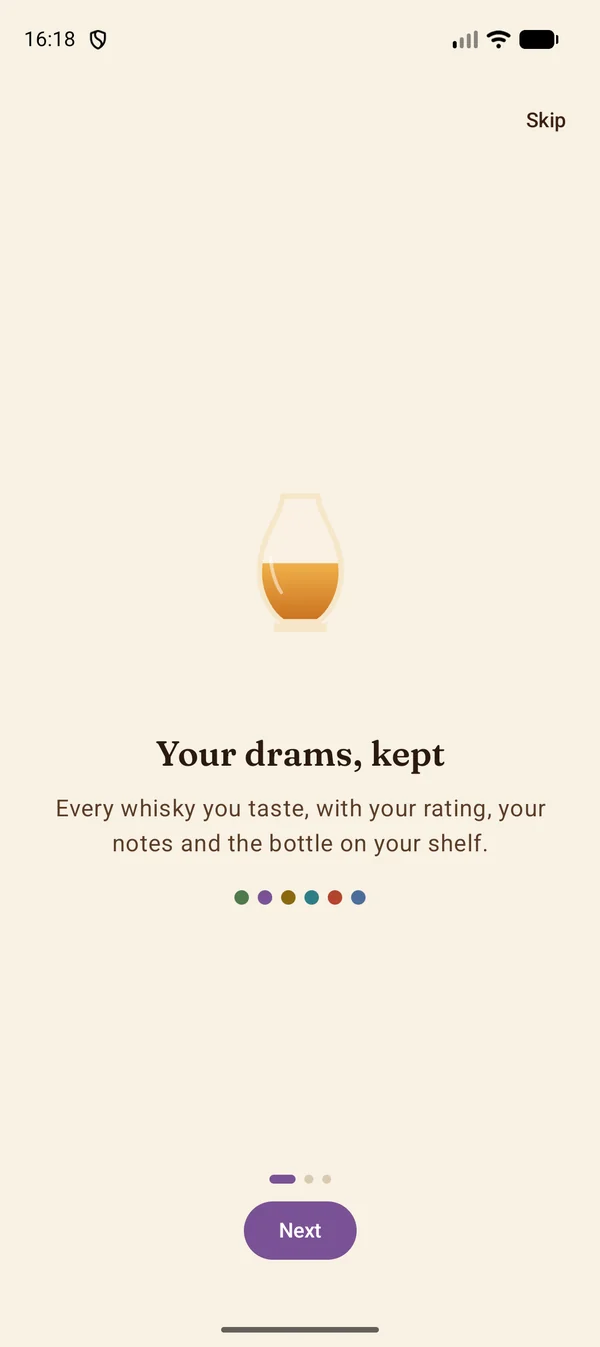
Three short screens on first run, skippable.
Four ways to add a dram
Everything is read on the phone, into fields you can correct. Nothing is uploaded.
-
1Scan a tasting list
Photograph the page, crop to one entry, and the name, cask, region, age, strength and tasting description are read on the device.
-
2Scan a bottle label
Point the camera at the label to pick up the distillery, bottler, age statement, strength and cask type.
-
3Paste a shop page
Paste a bottle's link from any whisky shop, or share the page from your browser, and the details, price and bottle photo come with it.
-
4Type it in
A blank form with distillery suggestions as you type. The region and country are filled in for you.
Then make it yours
A dram is more than its label. Keep what you thought of it, where you had it and whether there is a bottle on your shelf.
- Rate and write. Five stars and a free-text notes box on every dram.
- Tasted at. The bar, festival, distillery or shelf it was had at, with a By place grouping on the dashboard.
- Your collection. Mark the bottles you have bought, or swipe a card to the right, and filter the list down to them. A swipe needs a deliberate pull and always offers Undo.
- Two tabs and a button. Drams and Dashboard along the bottom with Add dram raised between them; Settings is the cog at the top, out of the way until you need it.
- Where it is from. Each region has its colour, on the card's badge and on the map of Scotland; a globe marks the country of everything else.
- Find it again. Search by name, distillery, place or flavour; sort by newest, rating, name or region.
- Share and back up. Share any dram as text, and back everything up to a file wherever you like, including Google Drive.
- Home screen widget. Your newest dram and its rating, one tap from the app.
Dram Notes Pro One-off purchase
A single purchase through Google Play, no subscription, unlocks the lot. Everything stays on your phone, Pro or not. A short tour of the Pro features opens once they are unlocked, and can be replayed from Settings.
Flavour wheel notes
Nose, palate and finish, descriptors picked from a nine-category wheel, and a flavour radar for a dram or your whole collection.
Tasting sessions
Track the drams you had at the same time, wherever that was: ranked, with your notes on the night and a summary to share.
Wishlist
Mark the bottles you want with the price and shop you saw them in, cheapest first. Buying one takes it off the list.
Compare
Two drams side by side, differences highlighted, shared flavours and both radars.
Collection cost and bottle levels
What you paid, when it was opened, and the bottle drawn at its level: drag it or tap Full, ¾, ½, ¼ or Dregs. The dashboard adds up what the collection cost, as a figure at the top and by region, and lists the open bottles emptiest first.
Your taste
Average ratings by region, cask, age and flavour, with a one-line insight once a few drams are rated.
Photo wall
Every bottle shot in a grid.
Export to a spreadsheet
Every dram, rating and note as a CSV file saved wherever you choose.
Private by design
There is no account to create and no server behind the app. The only time it touches the network is when you ask it to read a shop page you pasted, or when Google Play confirms a purchase.
- No account, no sign-in, no cloud run by the app's author.
- No adverts and no tracking of any kind.
- Text recognition runs on the device; photos are never uploaded.
- Backups are files you own, saved where you choose.
- Delete a dram, or uninstall the app, and the data is gone.
Need a hand?
Something misread, a purchase not showing, or a question about backups: the support page covers the common ones, and anything else can go to dram@wildsitecreations.co.uk.
Dram Notes is for adults of legal drinking age. Please drink responsibly.